Crews in Ostranauts aren't just cargo filler — they breathe, starve, sulk, and occasionally mutiny. This Ostranauts NPC AI guide walks through the invisible logic that decides whether your hired scavengers quietly do their jobs or wander into a depressurized airlock. You'll learn what drives their decisions, how to keep them productive, and how to stop them from dying in embarrassingly preventable ways.
Understanding How NPC AI Works in Ostranauts
Every hireable crew member in Ostranauts runs on a layered decision system that weighs physiological needs, emotional state, skill proficiency, and environmental hazards. Unlike many space sims where NPCs idle at their post until told otherwise, Ostranauts crew members actively evaluate their surroundings every game tick and choose between continuing their current task, switching to a new job, or fleeing the room entirely.
The underlying philosophy comes from developer Blue Bottle Games, who built NPC AI around the same hardcore noir tone that defines the rest of the simulation. Crews feel real — they get tired, they get hungry, they hold grudges, and they remember who fed them last. According to community testing on the v1.0.0.7 patch, the AI evaluates roughly six core priorities every few seconds, with lower-tier needs generally overriding higher-tier ones unless a critical danger triggers an emergency override.
These priorities determine everything from who mans the salvager beam during a derelict run to who decides to snack on your emergency rations when nobody's watching. If you want a ship that runs itself, you need to understand that the AI is always running — your job is to give it the right inputs.
The Six Priority Layers
NPC decisions flow through a hierarchy of stacked concerns. When a need at a higher tier becomes urgent, it can preempt anything happening below it.
| Priority Layer | Trigger Condition | AI Override Behavior |
|---|---|---|
| Survival (Tier 1) | Oxygen dropping, fire, hull breach | Crew abandons task, flees to safe room |
| Physiological (Tier 2) | Hunger, thirst, fatigue, bladder critical | Crew seeks food, water, bed, or toilet |
| Emotional (Tier 3) | Stress, morale collapse, panic state | Crew may refuse orders or hide |
| Duty (Tier 4) | Assigned task due, station vacant | Crew moves to assigned workstation |
| Maintenance (Tier 5) | Worn equipment, low tool charge | Crew seeks repair bench or charger |
| Social (Tier 6) | Boredom, loneliness, idle drift | Crew wanders or initiates conversation |
Understanding these layers matters because they explain a lot of confusing behavior. A crew member who refuses to fire the salvager isn't being insubordinate — they're panicking because their bladder hit critical while the hull is venting.
How AI Ticks Run in Real Time
Ostranauts uses a real-time-with-pause model, and the NPC AI evaluates on a similar rhythm. Crew members don't wait for your input — they check conditions on a short interval and re-evaluate continuously. The pause button freezes the simulation entirely, which gives you time to inspect their current state via the crew panel.
Community reports suggest the AI checks roughly every 2-3 seconds in normal play, scaling up the frequency during emergencies. This is why a crew member can suddenly switch from hauling cargo to running for the galley mid-shift — the moment their hunger stat crossed the threshold, the decision tree flipped.
NPC Physiological Needs and Emotional States
The first half of the AI equation is body, the second half is mind. Both are tracked as numerical stats that decay over time and spike during crises, and both feed directly into the priority layers above.
The Eight Tracked Vitals
Every crew member has eight core vitals that the AI monitors constantly. These decay at different rates and have different critical thresholds that trigger tier-2 overrides.
| Vital | Decay Rate | Critical Threshold | Default Fix |
|---|---|---|---|
| Hunger | ~6 hours empty | 20% | Eat ration / MRE |
| Thirst | ~4 hours empty | 15% | Drink water from tank |
| Fatigue | ~8 hours awake | 25% | Sleep in bunk |
| Bladder | ~3 hours | 80% | Use toilet |
| Bowels | ~5 hours | 75% | Use toilet |
| Stress | Variable | 70% | Rest, recreation, alcohol |
| Morale | Slow drift | 30% | Pay, success, social events |
| Health | Damage-driven | 25% | Medkit, surgery |
Crew vitals interact — a stressed character eats more, a tired character handles tools slower, and a panicked character ignores bladder needs until they wet themselves on the bridge. According to player logs, the most common preventable death in early runs is bladder overflow leading to stress spirals, not combat or fire as new players expect.
The AI doesn't treat these as separate timers. It calculates a weighted "wellness score" that combines all eight, and that score determines whether the crew member is willing to take on a new task at all. A starving pilot who hasn't slept in sixteen hours will refuse to fly the ship even if you order them to — they'll head to the bunk and there's no command in the game that overrides that decision.
Emotional State and Personality Quirks
Beyond raw vitals, each crew member has a personality archetype that biases how their emotional state evolves. The AI uses these archetypes to determine how quickly stress builds, what relieves it, and how the crew reacts to authority.
| Personality | Stress Trigger | Stress Relief | Compliance Behavior |
|---|---|---|---|
| Stoic | Low — ignores minor setbacks | Sleep, quiet | High — follows orders |
| Volatile | High — flares on criticism | Combat, alcohol | Unstable |
| Professional | Low — task-focused | Completion | Very high |
| Skittish | Medium — fears loud noises | Safe space, social | Conditional |
| Brooding | High — ruminates on insults | Privacy, solitude | Low |
This archetype system means two crews with identical stats will behave completely differently in the same situation. A Stoic pilot will fly through a hull breach with steady hands; a Skittish pilot in the same chair will eject themselves and abandon the ship. According to community data, mixing personality types on a small ship produces more stable overall behavior than stacking three of the same archetype, because the AI reacts to crew composition as well as individual state.
For a deeper breakdown of how these systems tie into overall crew hiring and retention, our Ostranauts crew guide covers recruitment tactics and trait synergies in detail.
Crew Skill System and AI Decision-Making
The AI doesn't just react — it also chooses how to do its job. Each crew member carries a set of skills that determines how effectively they execute tasks, and the AI weighs these against the urgency of the current need before committing.
Core Skills Tracked by the AI
Ostranauts tracks eight primary skills that affect both success rate and execution speed. The AI looks at these when picking the "best" available crew for any given job.
| Skill | Primary Use | AI Tie-In |
|---|---|---|
| Pilot | Flight, docking | Required to operate helm station |
| Gunnery | Turret operation | Required for combat tasks |
| Engineering | Repair, power systems | Speeds up maintenance tasks |
| Mechanics | Salvager beam, EVA | Critical for boarding derelicts |
| Medical | Healing, surgery | Required for tier-1 medical tasks |
| Science | Scanning, analysis | Speeds up exploration |
| Trading | Negotiation, barter | Boosts station deals |
| Command | Crew morale, discipline | Reduces mutiny risk |
Skills range from 1 to roughly 10 in most cases, with crew members starting in the 2-5 range and improving through practice. The AI uses the highest-skilled available crew for any new task, which means if you have one elite salvager, they'll get pulled into every salvaging job until they collapse.
How the AI Assigns Tasks
When you assign a task — either through the crew panel or via an order interface — the AI runs a quick eligibility check. It asks three questions: does this crew have the required skill above the minimum threshold, are their vitals above critical, and are they physically present in a valid location for the task?
If any answer is no, the AI either rejects the assignment silently or surfaces a warning depending on the severity. Crew members at low morale may also "soft-reject" tasks — they take the order but execute it with reduced efficiency, sometimes walking away halfway through.
This is why veteran players recommend rotating assignments rather than locking a crew member into a permanent role. The AI doesn't store permanent assignments the way you might expect; it re-evaluates every assignment window, which means a tired engineer who gets rotated to a bunk for four hours will return with full vitals and pick up the next engineering task at full speed. Constant overload leads to burnout, which the AI punishes by permanently reducing the affected skill's growth rate.
Managing NPC AI Tasks and Assignments Effectively
Now that you understand the systems, the question becomes how to actually steer them. Most newcomers fail because they try to micromanage individual orders; the most successful crews run on a small set of standing policies and routine patterns.
Building a Routine That the AI Respects
Crew members respond best to predictable cycles. The AI evaluates tasks based on need, but it also tracks the recent history of what each crew has been doing. If your engineer spends eight hours on repairs followed by four hours sleeping, the AI learns that pattern and starts preparing the next task before the current one finishes.
A solid daily loop looks like this:
- Shift 1 (0-4 hours): Assign primary tasks — salvage, trade runs, repairs
- Shift 2 (4-6 hours): Force a meal and bathroom break for all crew
- Shift 3 (6-10 hours): Resume primary tasks with rotated crew
- Shift 4 (10-14 hours): Mandatory rest cycle for at least half the crew
- Shift 5 (14-16 hours): Recreation window for morale recovery
The AI rewards this kind of consistency with faster task execution and lower stress accumulation. Crew members who get stuck on 16-hour shifts see their morale permanently degrade, which over multiple cycles leads to refusals, slow walking, and eventually mutiny.
Standing Orders vs. Manual Control
Ostranauts supports two management modes: standing orders (set-and-forget policies for station types) and manual control (per-crew task assignment). The AI handles both differently.
| Mode | AI Behavior | Best Use Case |
|---|---|---|
| Standing Orders | Crew self-selects based on skill and need | Large ships with 5+ crew |
| Manual Assignment | Crew takes the specific task you set | Small ships, critical ops |
| Hybrid | Crew self-routes for routine, manual for priority | Mid-game optimal setup |
The hybrid approach works best because it gives the AI room to handle the dozens of small maintenance tasks — refilling oxygen, charging tools, clearing waste — while letting you direct attention to high-stakes operations like derelict boarding. According to the Ostranauts Steam community guides, players running hybrid setups report roughly 30% fewer crew deaths in the first 50 hours compared to either pure mode.
Task Priority and Conflict Resolution
When multiple tasks compete for the same crew, the AI uses a scoring system that weighs urgency, skill match, and crew preference. Tasks tagged as urgent (red icon) jump the queue automatically. Tasks tagged as routine (yellow) wait until the AI has spare capacity.
If two urgent tasks fire simultaneously and you only have one qualified crew, the AI picks based on skill margin — the crew goes where they're most overqualified, leaving the less critical task for someone else. This is why having a backup pilot matters even if your primary pilot never sits down; the AI assumes there's always someone at the helm and will route critical flight tasks to whoever has the highest skill, regardless of what they're doing.
Common NPC AI Issues and How to Fix Them
Even with great systems, things go wrong. These are the most frequent AI failures players report, with concrete fixes drawn from community testing.
The "Frozen Crew" Bug
Sometimes a crew member stops responding to all orders and stands idle in place. This isn't a hard bug — it's the AI waiting for a need to resolve before it can resume normal operations. Common causes:
| Symptom | Likely Cause | Fix |
|---|---|---|
| Crew stands in corridor | Path blocked by debris | Clear the obstruction manually |
| Crew stares at closed door | Door locked, no key access | Open the door or grant key |
| Crew ignores food at feet | Bladder critical overriding hunger | Send to toilet first |
| Crew refuses to board ship | Morale too low, won't re-enter | Pay bonus or wait 24 hours |
The pause button is your friend here — freeze time, check each crew's vital panel, and identify the specific need that's stalled them. About 80% of "frozen" reports trace back to either a blocked path or a critical unmet vital.
Stress Spirals and Cascading Failures
The most catastrophic AI failures happen when one crew's stress triggers chain reactions across the whole ship. A stressed pilot flies poorly, which damages the hull, which raises everyone's stress, which causes the medic to panic, which leaves the wounded engineer untreated. Within minutes, a healthy crew can collapse into chaos.
Prevention beats cure here. Keep stress below 50% across the board by:
- Avoiding hostile fire when possible
- Providing a recreation item per crew (cards, books, music)
- Paying on time every cycle
- Rotating crews out of high-stress stations
- Keeping ship temperature stable (cold raises stress fast)
If a spiral starts anyway, isolate the panicked crew by sending them to a private room and pause the game to assess damage before continuing. Letting the AI continue its cascade almost always ends with at least one crew incapacitated.
Crew Refusing Orders Permanently
When morale drops below 20% or stress exceeds 90% for too long, crew members enter a mutinous state and refuse all orders indefinitely. The only fixes are: pay them a large bonus, give them 48 hours of paid leave, or dismiss them outright. There's no "discipline" option in Ostranauts — the simulation treats crew like people, not slaves.
According to player reports, mutiny happens most often in cycles 8-12, when loan payments and station fees stack up while income stays thin. The fix is financial discipline more than AI management — keep reserves, avoid over-hiring, and don't run crews into the ground chasing the next derelict.
Frequently Asked Questions
Why does my crew keep abandoning their post to use the bathroom?
The AI prioritizes physiological needs over duty assignments once a vital hits critical. If your crew is rushing to the toilet mid-salvage, their bladder stat hit the 80% threshold and the AI is forcing the override. The fix is scheduling bathroom breaks into your shift rotation before the AI triggers the emergency override, which usually results in a calmer crew and smoother runs.
Can I assign the same task to multiple crew members at once?
Yes, but the AI distributes the work based on skill rather than splitting it evenly. Two engineers assigned to repair the same hull breach will both work, but the higher-skilled one handles most of the task while the other assists. For pure speed, focus your best-suited crew on one task at a time rather than spreading them thin across multiple parallel operations.
Does the NPC AI change with difficulty settings?
The AI behavior itself stays consistent across difficulty, but the rates of vital decay and stress accumulation scale with harder settings. On harder modes, hunger ticks down faster and stress builds quicker, which means crew needs more frequent attention. The decision-making logic is identical, but the pressure on that logic increases significantly, making routine management even more important for survival.
What happens if all my crew dies at once?
The ship enters derelict mode — the AI shuts down non-essential systems and you take direct control of the captain character alone. Without crew, you cannot operate stations that require specialized skills, which means most ships become stranded. The only escape is calling for rescue from a station, which costs significant money and reputation, or attempting to fly the ship yourself with degraded controls.
How do I check what my crew is thinking right now?
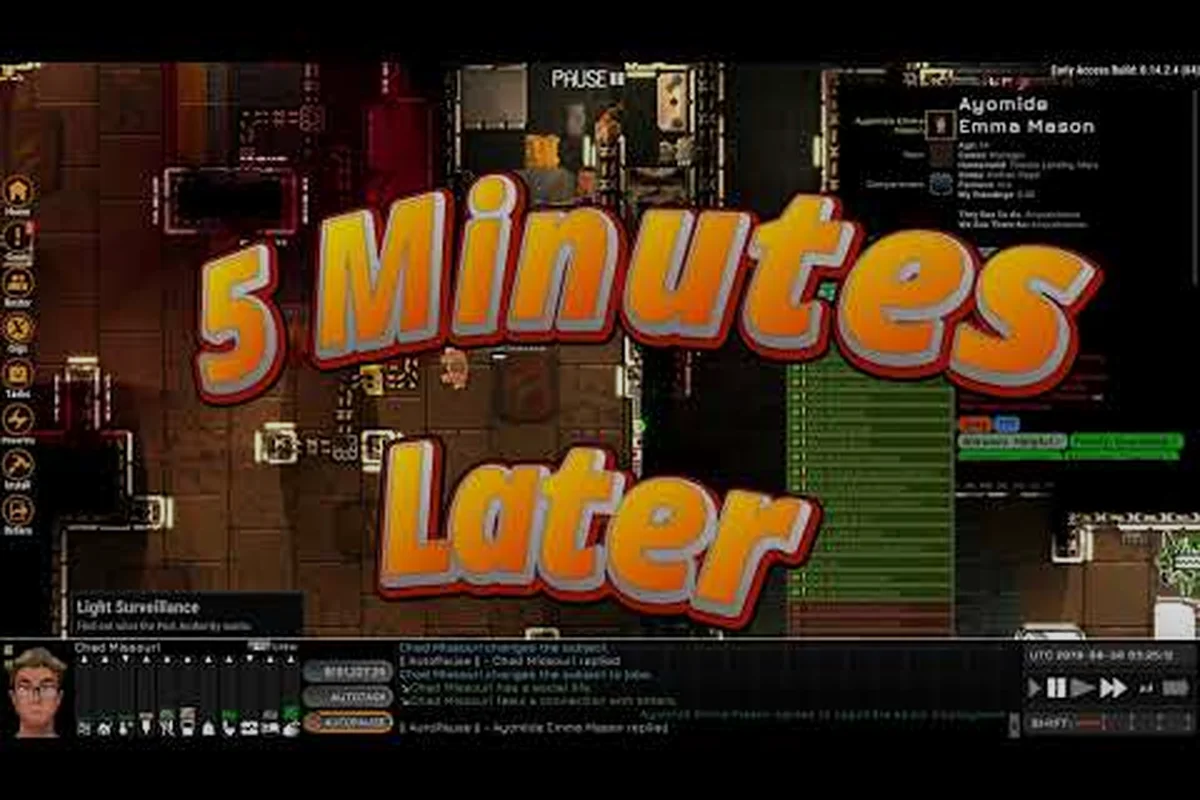
Open the crew panel and hover over any crew member to see their current vital levels, active task, emotional state, and any queued overrides. The panel shows exactly what the AI is prioritizing in real time, which makes it invaluable for diagnosing why someone is behaving unexpectedly. Most "AI mystery" complaints resolve within seconds of checking this panel.
Have a stubborn crew AI situation that none of these fixes cover? Drop it in the comments below — real player scenarios make the best case studies for future updates to this guide.