
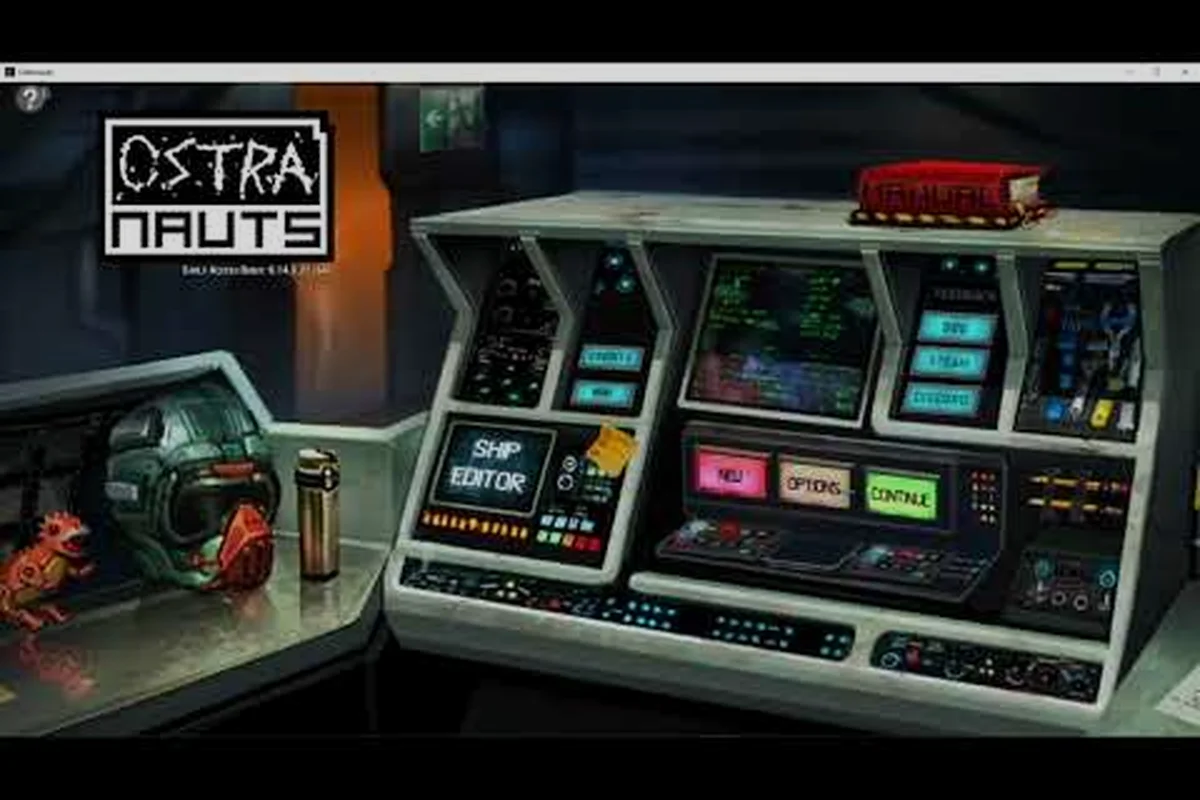
Almost every tweak you'll ever want to make in Ostranauts — from adjusting crew wages to rebalancing ship part costs — starts inside the same place: the Ostranauts modding data files sitting quietly in your local game directory. Because Blue Bottle Games ships the vast majority of its content as human-readable plain text, you don't need a special SDK, a custom compiler, or even a hex editor to begin customizing your experience.
This guide walks you through locating those files, reading them safely, editing them with confidence, and avoiding the most common pitfalls that cause saved runs to break or mods to fight each other.
What Ostranauts Modding Data Files Are and Why They Matter
Ostranauts is built on a data-driven architecture, meaning the engine itself contains very little hardcoded content. Items, NPCs, jobs, events, economies, ship modules, dialogue, and even physics tuning values live in external plain-text files that the game reads every time it boots. For players, this is a gift: the same files the developer uses to ship the game are the files you'll be modifying as a modder.
The Plain-Text Advantage for Modders
Unlike games that lock their content behind opaque archives or encrypted blobs, Ostranauts modding data files can be opened in any text editor. Notepad++, VS Code, and Sublime Text all handle them without special plugins. This transparency means:
- A typo in a price field is obvious the moment you reload your save.
- You can
Ctrl+Facross the entire data folder to find a specific item, stat, or trigger. - Diff tools like WinMerge or Beyond Compare make mod compatibility checks fast.
- Beginner modders can learn by reading the developer's own values instead of guessing.
The trade-off is that one stray character can break loading, so discipline matters more than tooling.
Risks Every Modder Should Respect
Because the game trusts these files completely, mistakes propagate instantly. Common symptoms of a bad edit include a black screen on launch, an infinite loading icon, or a save file that refuses to deserialize. Always back up the original Ostranauts modding data files before changing anything, and treat the core folder as read-only reference material unless you specifically intend to override it.
| Risk Type | Symptom | Prevention |
|---|---|---|
| Syntax error in JSON/CSV | Game fails to launch | Use an editor with bracket matching |
| Wrong data type (string vs number) | Item loads but is invisible | Validate with a JSON linter |
| Encoding mismatch (BOM, UTF-16) | First key silently ignored | Save as UTF-8 without BOM |
| Duplicate ID across mods | Last mod wins, content vanishes | Maintain a mod load order sheet |
Core Folder Structure of Ostranauts Modding Data Files
Before you edit anything, you need to know where the files actually live. The structure has remained stable since the game's early-access launch, and community wikis such as the official Ostranauts wiki on wiki.gg keep a current map of every subfolder.
Locating the Steam Installation Directory
On Windows, the default path looks roughly like this:
C:\Program Files (x86)\Steam\steamapps\common\Ostranauts\ostranauts_Data\StreamingAssets\
The StreamingAssets folder is where the engine pulls almost everything at runtime. Inside it you'll find a mix of CSV-style spreadsheets, JSON manifests, and a handful of Lua-style script fragments. Linux and macOS users will see the same hierarchy under their respective Steam library roots, since the project ships as a Unity build with platform-agnostic data paths.
Key Subfolders and Their Roles
The Ostranauts modding data files are organized into thematic buckets. The table below summarizes the folders most modders touch within their first month.
| Subfolder | Content Type | Modder Use Case |
|---|---|---|
Blueprints/ | Ship hull and room templates | Tweak cargo capacity, hull mass |
NPCs/ | Crew generation, traits, backgrounds | Add custom hireable characters |
Economy/ | Trade goods, prices, supply curves | Rebalance K-Leg trade loops |
Events/ | Random encounters and triggers | Write new story beats |
Items/ | Parts, consumables, cargo manifests | Edit stack sizes, weights |
Strings/ | Localizable dialogue and labels | Translate or rewrite flavor text |
A common point of confusion: the Blueprints folder contains both player-facing ships and NPC-only wrecks. Filter by file header comments — the developer leaves clean markers — to keep your edits scoped.
How the Game Resolves Overrides
When multiple sources define the same item ID, Ostranauts uses a last-wins priority model. The base game files load first, then any Mods/ subfolder loads on top in alphabetical order. For predictable behavior, name your mod folders with a clear prefix (e.g. ZZ_MyMod) so they always win, and document the precedence in a readme.txt that ships with your release.
Editing Ostranauts Modding Data Files Safely
Knowing where the files live is half the battle. The other half is editing them without corrupting the save ecosystem that depends on them.
Recommended Tools for Plain-Text Editing
You don't need a paid IDE, but the right free tools make a huge difference in catching mistakes early.
| Tool | Cost | Why It's Useful |
|---|---|---|
| Visual Studio Code | Free | JSON/CSV syntax highlighting, integrated diff viewer |
| Notepad++ | Free | Lightweight, regex find-and-replace, column editing |
| Python 3 + pandas | Free | Bulk validation and mass edits across hundreds of files |
| WinMerge | Free | Visual diff between vanilla and modded data folders |
| Beyond Compare | Paid (trial) | Three-way diff for resolving merge conflicts |
Whichever editor you choose, configure it to save files as UTF-8 without a byte-order mark, use Unix or Windows line endings consistently, and never enable "smart quotes" — a curly apostrophe inside an item name can crash the parser on certain fields.
Step-by-Step Editing Workflow
A repeatable process prevents most of the rookie mistakes that show up on community Discord channels. The following workflow is what experienced modders report using when balancing larger overhauls.
- Step 1: Copy the entire
StreamingAssetsfolder to a sibling_backupdirectory before any change. - Step 2: Open the game once to confirm the backup matches a known-good boot state.
- Step 3: Make a single, focused edit in your target file, then close and relaunch Ostranauts to verify the change loads.
- Step 4: If the game launches cleanly, commit the change to a versioned folder (e.g.
v01,v02) so you can roll back. - Step 5: Repeat steps 3–4 for each subsequent tweak, isolating variables one at a time.
This iterative rhythm catches typos before they cascade into hours of debugging. It also produces a clean changelog that helps other modders understand what your release actually does.
If you're new to the broader modding scene, the Ostranauts modding tutorial covers the wider lifecycle, including packaging your first mod for Steam Workshop.
Validating Changes Without a Full Playthrough
You don't need to fly a complete trade run to verify an edit. The engine logs parse errors to Player.log (Windows: %AppData%\..\LocalLow\Blue Bottle Games\Ostranauts\). Search that file for the strings JsonException or MissingFieldException after each boot — if either appears, your last edit is the prime suspect. For deeper structural validation, pair your edits with a JSON schema file from the Ostranauts modding guide, which walks through the supported field types.
Common Tweaks You Can Make to Ostranauts Modding Data Files
Once you're comfortable editing individual fields, a universe of small balancing tweaks becomes available. The following examples are pulled from common community requests and are safe starting points for new modders.
Tweaking Crew, Ship, and Economy Values
Most balance changes live inside a handful of files that the developer keeps intentionally flat. Here's a quick-reference table of starter edits and the files they live in.
| Tweak Goal | File Location | Field to Adjust | Community-Reported Effect |
|---|---|---|---|
| Raise starting credits | Economy/StartingConditions.csv | credits | Easier early game, faster first ship |
| Slow crew hunger drain | NPCs/Needs.json | hungerRate | Less micromanagement on long flights |
| Boost small-engine thrust | Items/Engines/Stats.csv | thrust per part | More viable starter ships |
| Increase scrap sale price | Economy/TradeGoods.csv | sellPrice for scrap | Stronger salvage gameplay loop |
| Shorten repair timers | Events/RepairActions.csv | durationHours | Faster turnaround at stations |
Always rebalance in small increments — doubling a price can break downstream AI scripts that assume a certain ratio between goods. Players in the Discord #modding-data-files channel frequently warn against changing more than two or three linked values per release.
Avoiding Mod Conflicts and Corruption
Most broken mod lists aren't caused by bad code — they're caused by mod collisions where two packages try to override the same item ID. A few habits prevent this almost entirely.
- Keep a master spreadsheet listing every item ID your mod touches, with the source mod owning each one.
- Prefix all custom item IDs with a unique three-letter tag (e.g.
abc_hull_v1) to avoid colliding with vanilla IDs. - Publish your mod with a
loadOrder.txtdeclaring which other mods must load before yours. - Test against a clean install of the base game before testing against a stacked loadout.
For deeper coverage of how the loader resolves these collisions, the Ostranauts modding tools article compares the validators and packagers most community authors rely on.
Version-Sensitive Files to Watch
Not every file is safe to edit across patches. When Blue Bottle Games ships a major update, certain files — particularly anything under Blueprints/Ships/ — may be reorganized or renamed. Community testing on recent beta branches suggests the developer is actively tuning these for clarity, and a small adjustment in the next quarterly patch is plausible. Subscribe to the patch notes thread on the official Ostranauts wiki or follow the developer on Steam to catch breaking changes early.
Best Practices for Shipping Ostranauts Modding Data File Mods
A mod that works on your machine is only half the job. The other half is making sure other players can install it without hunting through config files.
Packaging Standards the Community Expects
Workshop-ready mods typically bundle three things: the modified data files in a self-describing folder, a short readme.txt describing intent and load order, and an optional preview.png showing the in-game result. The readme.txt should list every file the mod overrides so reviewers can audit scope before subscribing.
Compatibility With Other Popular Mods
A handful of community staples — economy overhauls, ship expansions, balance suites — overlap on common item IDs. If your mod targets the same files, declare the conflict in your description and recommend a load order. Players who stack mods appreciate transparency far more than a perfectly silent override that quietly breaks another creator's work.
Where to Find Help When You Get Stuck
The Ostranauts Discord server hosts dedicated channels for data file editing, with veteran modders who routinely debug JSON parse errors live. The Ostranauts page on Steam also links to the official wiki and to the Workshop, which is the easiest distribution channel for first-time mod publishers. If you're stepping into data editing from scratch, the plain text data editing guide walks through the same workflow in finer detail, including how to handle the occasional non-JSON legacy file.
Frequently Asked Questions
Do I need to own the game on Steam to edit Ostranauts modding data files?
Yes. The modding data files live inside the installed game directory, so you'll need a legitimate copy — Steam, GOG, or any future official storefront — to access them. The files are not distributed separately.
Will editing data files get me banned from multiplayer or Steam?
Single-player Ostranauts has no anti-cheat layer that scans data files, and community data editing is explicitly supported by the developer. As long as you only touch local files, you remain in good standing. Avoid distributing the original game assets alongside your mod — only ship the files you actually changed.
Can I share a mod that modifies the same files as another creator?
Yes, but declare the conflict clearly. Document the load order, note which mod should load first, and credit the original creator. Players regularly stack compatible mods when conflicts are transparent, and the community rewards respectful collaboration.
What happens if a game update breaks my modded data files?
The game will usually boot but fail to read the affected entries, logging a MissingFieldException per broken line. Re-apply your changes against the patched base files, republish the mod, and notify subscribers via the Workshop update notes. Most mod authors find that 70–80% of edits survive major patches intact.
Is there a way to preview data file changes without launching the game?
Partially. A JSON linter and a CSV viewer catch structural errors instantly, and tools like Notepad++ with the JSON Viewer plugin render nested structures as collapsible trees. For semantic verification — whether the change actually behaves as intended — there's no substitute for booting the game and observing the result.
What's the first Ostranauts modding data file tweak you're planning to ship — a balance pass, a new ship, or a custom crew roster? Drop your project idea in the comments and the community will help you scope the right files to touch first.